Quick Start

There are 4 ways to benchmark with easybench:
-
@benchdecoratorfrom easybench import bench # Add @bench with function parameters @bench(item=123, big_list=lambda: list(range(1_000_000))) def insert_first(item, big_list): big_list.insert(0, item)Tip
When you need fresh data for each trial, use a function or lambda to generate new data on demand.
(likelambda: list(range(1_000_000))in the above) -
EasyBenchclassfrom easybench import EasyBench, BenchConfig class BenchListOperation(EasyBench): # Benchmark configuration bench_config = BenchConfig( trials=10, memory=True, sort_by="avg" ) # Setup for each trial def setup_trial(self): self.big_list = list(range(1_000_000)) # Benchmark methods (must start with bench_) def bench_insert_first(self): self.big_list.insert(0, 123) # You can define multiple benchmark methods def bench_pop_first(self): self.big_list.pop(0) if __name__ == "__main__": # Run benchmark BenchListOperation().bench() -
easybenchcommand- Create a
benchmarksdirectory -
Put
bench_*.pyscripts in the directory:from easybench import fixture # Fixture for each trial @fixture(scope="trial") def big_list(): return list(range(1_000_000)) # Benchmark functions (must start with bench_) def bench_insert_first(big_list): big_list.insert(0, 123) # You can define multiple benchmark functions def bench_pop_first(big_list): big_list.pop(0) -
Run
easybenchcommandeasybench --trials 10 --memory --sort-by avg
- Create a
-
%%easybenchmagic command (Jupyter Notebook)-
Load the extension
%load_ext easybench -
Benchmark cell code
%%easybench --trials=3 --memory
result = []
for i in range(1_000_000):
    result.append(i)
-
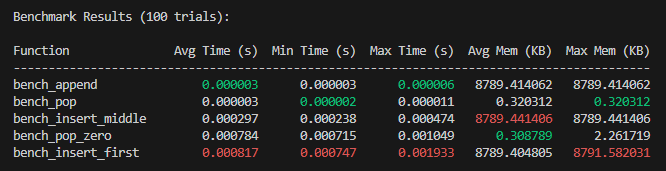
Example of benchmark results:
-
Single benchmark
Benchmark Results (5 trials): Function Avg Time (s) Min Time (s) Max Time (s) -------------------------------------------------------- insert_first 0.001568 0.001071 0.003265 -
Multiple benchmarks
-
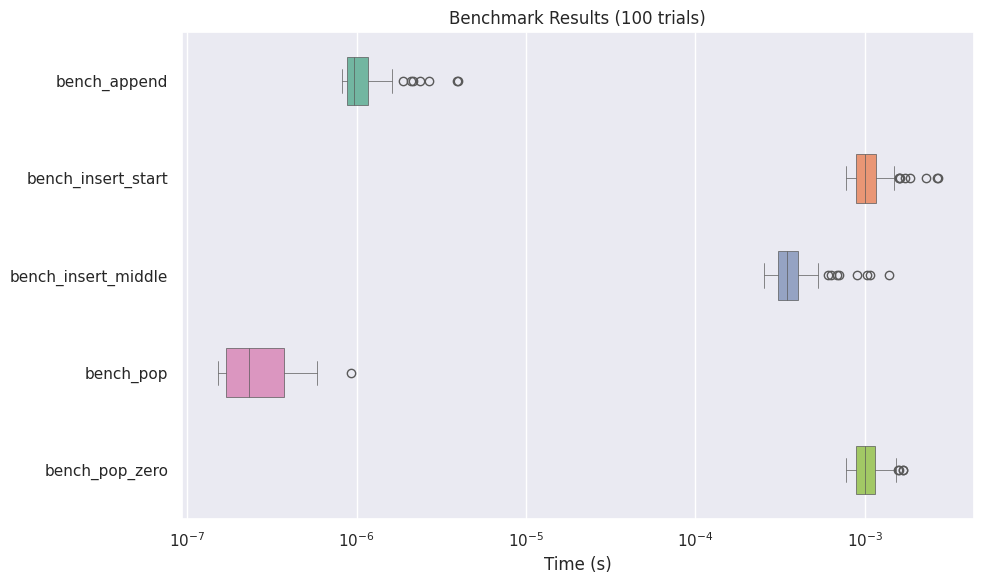
Boxplot Visualization
-
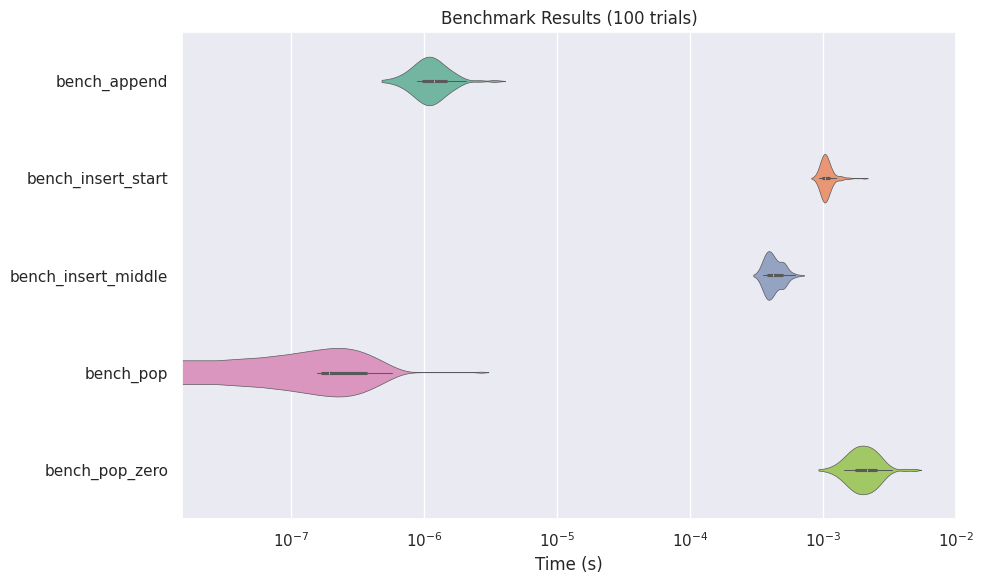
Violinplot Visualization
-
Lineplot Visualization
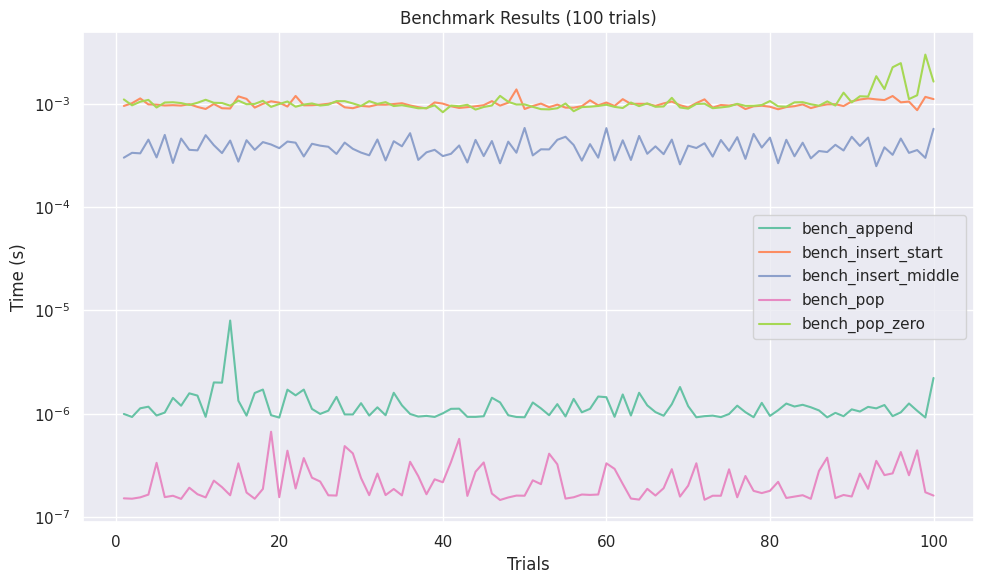
-
Histogram Visualization
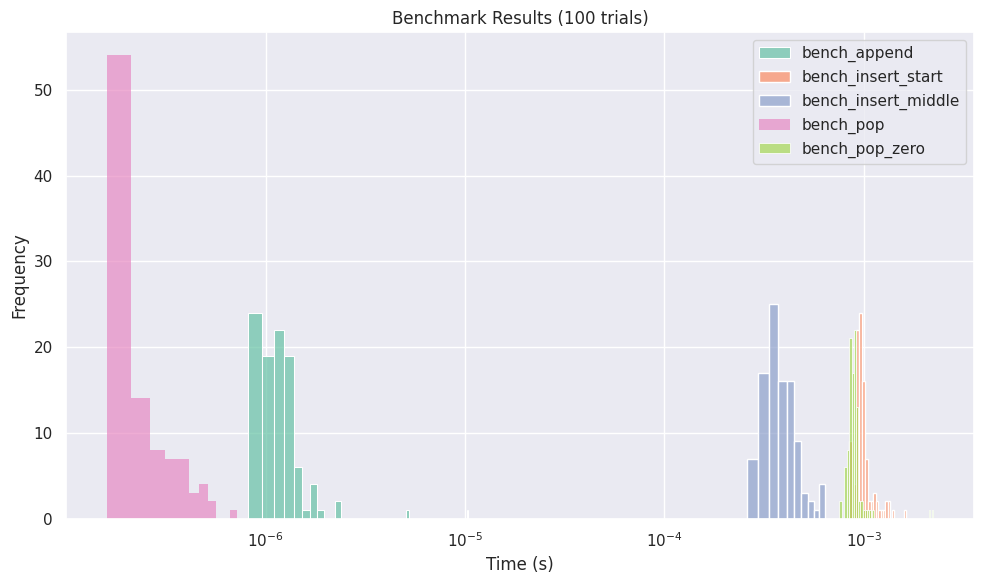
-
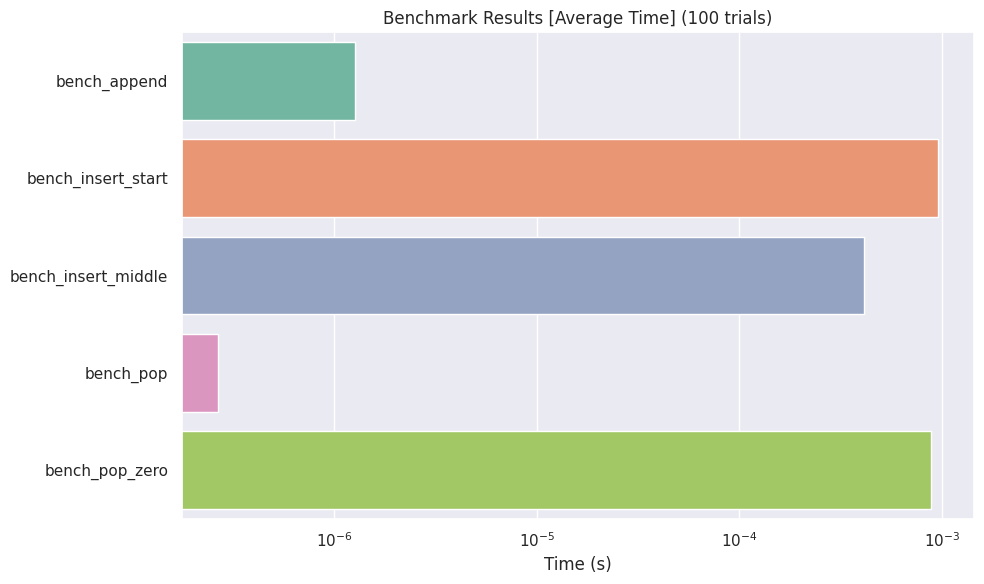
Barplot Visualization